 DNS Lookup
All common record types
A, AAAA, CNAME, MX, NS, TXT, SOA, CAA, SRV, HTTPS and PTR, grouped by type with the TTL for each record.
Open the popup and the current site's A, AAAA, MX, NS, TXT and other records appear right away. No sign-up, no tracking.
Add to Chrome, it's freeWorks in Chrome, Edge, Brave and other Chromium browsers.
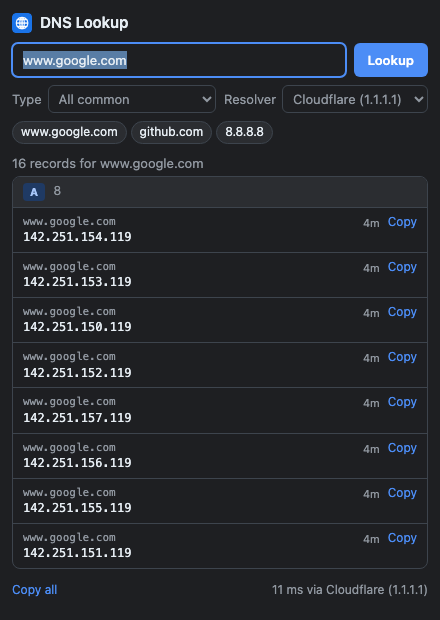
A, AAAA, CNAME, MX, NS, TXT, SOA, CAA, SRV, HTTPS and PTR, grouped by type with the TTL for each record.
Open the popup on any page and its domain is looked up instantly. You can also type any domain or paste a full URL.
Enter an IPv4 or IPv6 address to see its PTR record and find out which hostname it belongs to.
Query Cloudflare (1.1.1.1) or Google (8.8.8.8) over encrypted DNS-over-HTTPS.
Copy a single value, or copy every record as tab-separated text to paste into a ticket or spreadsheet.
Press Alt+Shift+D to open it. Your recent lookups are one click away, and it follows your system's light or dark mode.
Yes. There are no ads, no accounts and no paid tier.
None. The domain you look up is sent only to the DNS resolver you pick (Cloudflare or Google) to get the answer. Your settings and recent lookups stay on your device. See the privacy policy.
The activeTab permission lets it read the address of the tab you're on, and only when you click the icon, so it can fill in the domain for you. It can't read page content or your browsing history.
The extension asks a public resolver directly. Your network, router or VPN may use a different resolver, local overrides or split-horizon DNS, so internal hostnames may not resolve.